GammaOS 1.5.0 brings a fifth home theme in the style of the Nintendo 3DS HOME Menu, three new emulators built into GammaOS (3DS, DS and RetroArch), Screen Calibration on every device, and updates for the home and emulators without a full system update. Here are the highlights.
A 3DS HOME Menu for your handheld
The new 3DS Menu theme puts your library on a HOME Menu grid, with each game's banner on the top screen, folders you arrange yourself, colour themes, themes from the SD card, its own start up animation and first-run setup. Read more
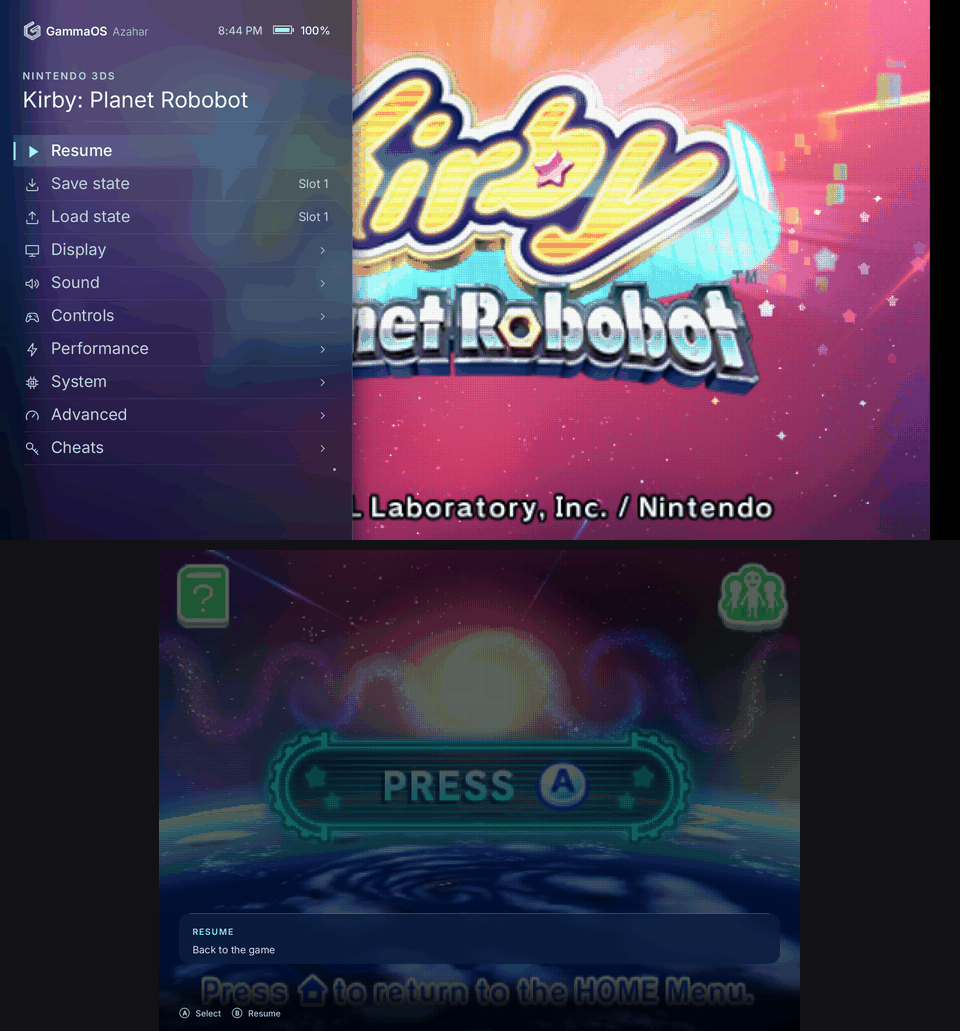
Play 3DS games with azahar-nano
A Nintendo 3DS emulator built into GammaOS, with an in-game menu, button mapping and hotkeys, fast forward, per game settings, cheats, and an installer for game updates and DLC. Read more
melonds-nano for DS and DSi
A second DS emulator, based on melonDS, with DSi mode, RetroAchievements (offline unlocks are sent later), 3D up to 8x, the lid passed to the game, and the screens swapped on L2. Pick it or DraStic for your DS games in Game Systems. Read more
RetroArch Nano
RetroArch now runs natively for every RetroArch core: faster to start, drawn straight to the screens, with the GammaOS in-game menu and a touch control centre on the bottom screen. The RetroArch app is still one setting away. Read more
Screen Calibration on every device, with test patterns
Each screen gets its own brightness, contrast, saturation, hue and white balance, now on every device and in every GammaOS emulator. Twelve test patterns make matching two screens easy. Read more
Update the home and emulators on their own
Settings > System Update > Update Components brings new versions of the home, azahar-nano, melonds-nano, DraStic Nano and RetroArch Nano without a full system update, and a component that fails to start is switched off by itself. Read more
Retroid Pocket Duo Lite
Both screens are driven directly by GammaOS, with lid sleep and wake, held volume keys, low battery warnings, the Mode button for the Control Center, and smoother DS and 3DS play on both panels. Read more
A sharper, darker DSi Menu
The DSi Menu theme has a choice of High Resolution or Original Resolution art, fits wide top screens, has a new dark look, and its settings are laid out like a console settings app. Read more
Easier to see and read
Settings > Accessibility makes the home easier to see and read in every theme: text up to 175 percent, the Atkinson Hyperlegible and OpenDyslexic reading fonts, High Contrast, Bold Text, Reduce Motion and a larger selection highlight. Read more
Fixes and improvements
- Faster start up: the home appears about four seconds sooner, with your theme and brightness from the first frame, and a game picked during start up launches by itself.
- Quick Menu and Control Center: a Fan row and tile on devices with a fan, hold the Shader tile to pick a shader, and holding Back in a bottom screen app brings up the Control Center.
- Games: Show Game Folders lists a system's subfolders as folders, the data folders of DraStic, melonDS and Azahar can be moved, and DS cartridge titles are used before scraped names.
- Search and keyboard: a new on-screen keyboard that sits on the touch screen of dual screen devices, and search results with cover cards.
- Colour everywhere: LiveDisplay, Screen Calibration and the global shader now also reach the home and the GammaOS emulators.
- Media: IPTV plays encrypted (AES-128) streams.
- DraStic Nano: per screen scale and shader on dual screen devices, a microphone noise gate, a Fan row, and steadier frame pacing on the Duo Lite and 120 Hz screens.
- System: the clock is set from the network, GammaOS Toolbox asks you to confirm before opening, and the Pokemon Omega Ruby and Alpha Sapphire Special Demo is included.